
iPhone App
Ride Metrics
A simple ride-tracking app that measures your route, speed, distance, and calories burned. Your data stays on your device, and only syncs with Apple Health and Calendar if you choose to enable it.
Features
Easy to read while riding, and detailed enough to review afterward.
Live Tracking
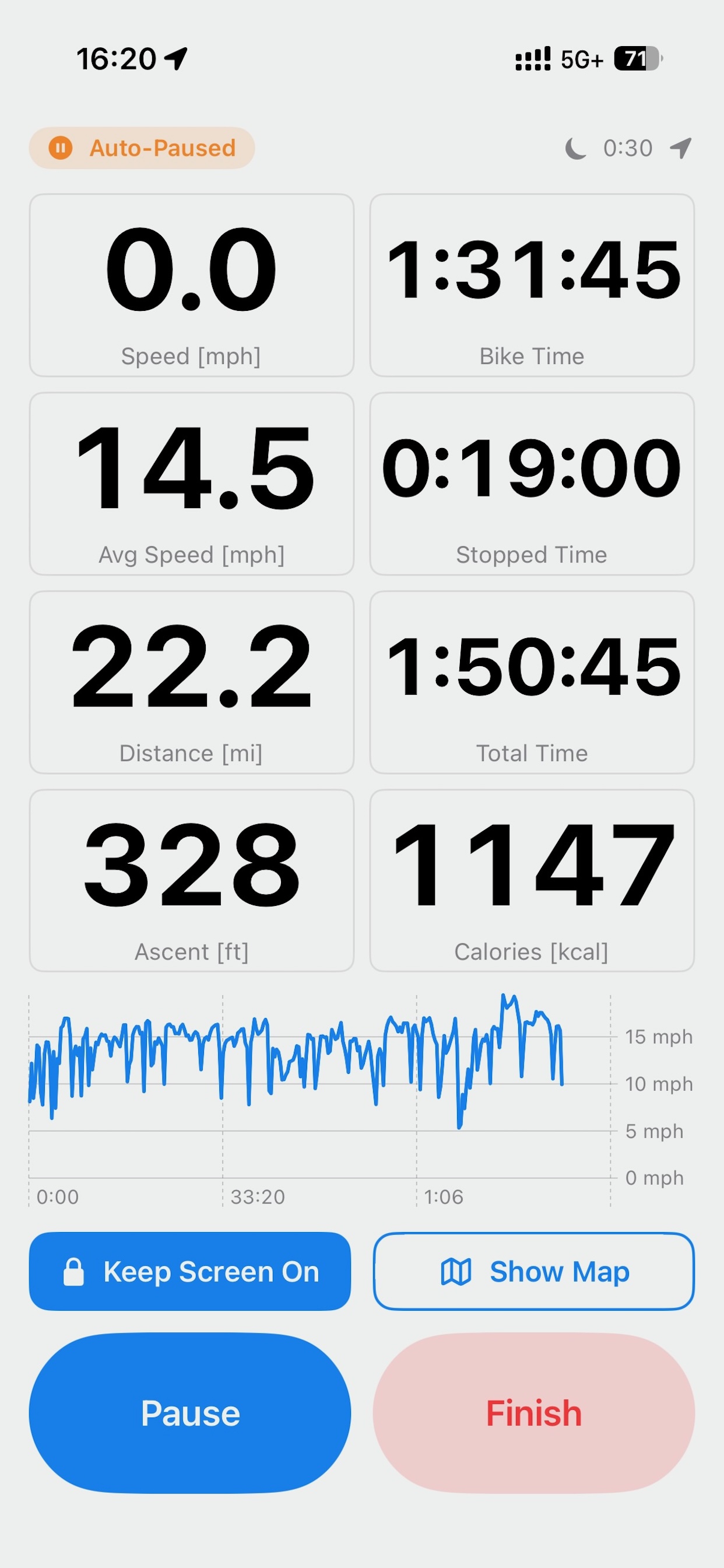
Current speed, average speed, distance, moving time, stopped time, elevation gain, and calories burned — all shown in large, glanceable text while you ride.
Speed Graph & Map View
Switch between a live speed graph and a map showing your current location and route.
Automatic Stop Detection
Automatically detects stops, like waiting at a traffic light, and excludes them from moving time and average speed.
Ride History & Stats
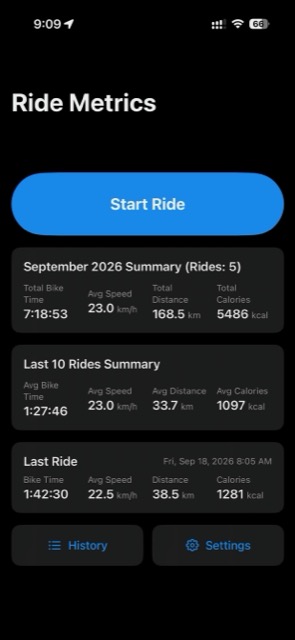
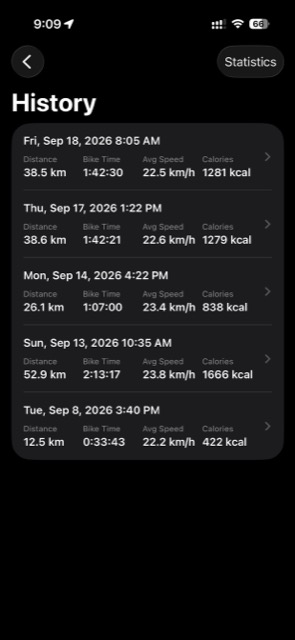
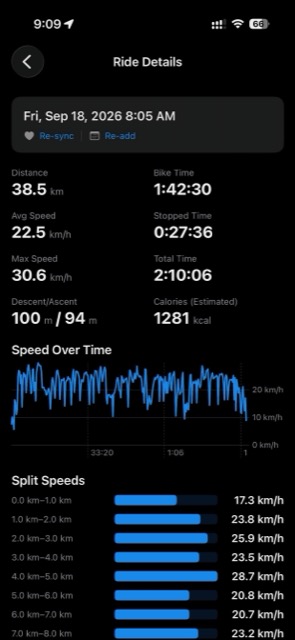
See details for every ride — distance, speed, elevation up/down, calories, and per-split speed — plus a monthly summary and a rolling summary of your last 10 rides.
Apple Health & Calendar Integration
Optionally enable it to save workouts to Apple Health and add ride summaries to your calendar.
CSV / GPX Export
Export your rides as CSV or GPX files to share with other apps and services.
Screenshots
Home, in-progress, history list, and ride detail screens.
Download
Ride Metrics is free on the App Store. Scan the QR code with your iPhone camera, or open the App Store with the button below.